
PREMIERE PRO · SOUND EFFECT WORKFLOW
Put your library on the keyboard.
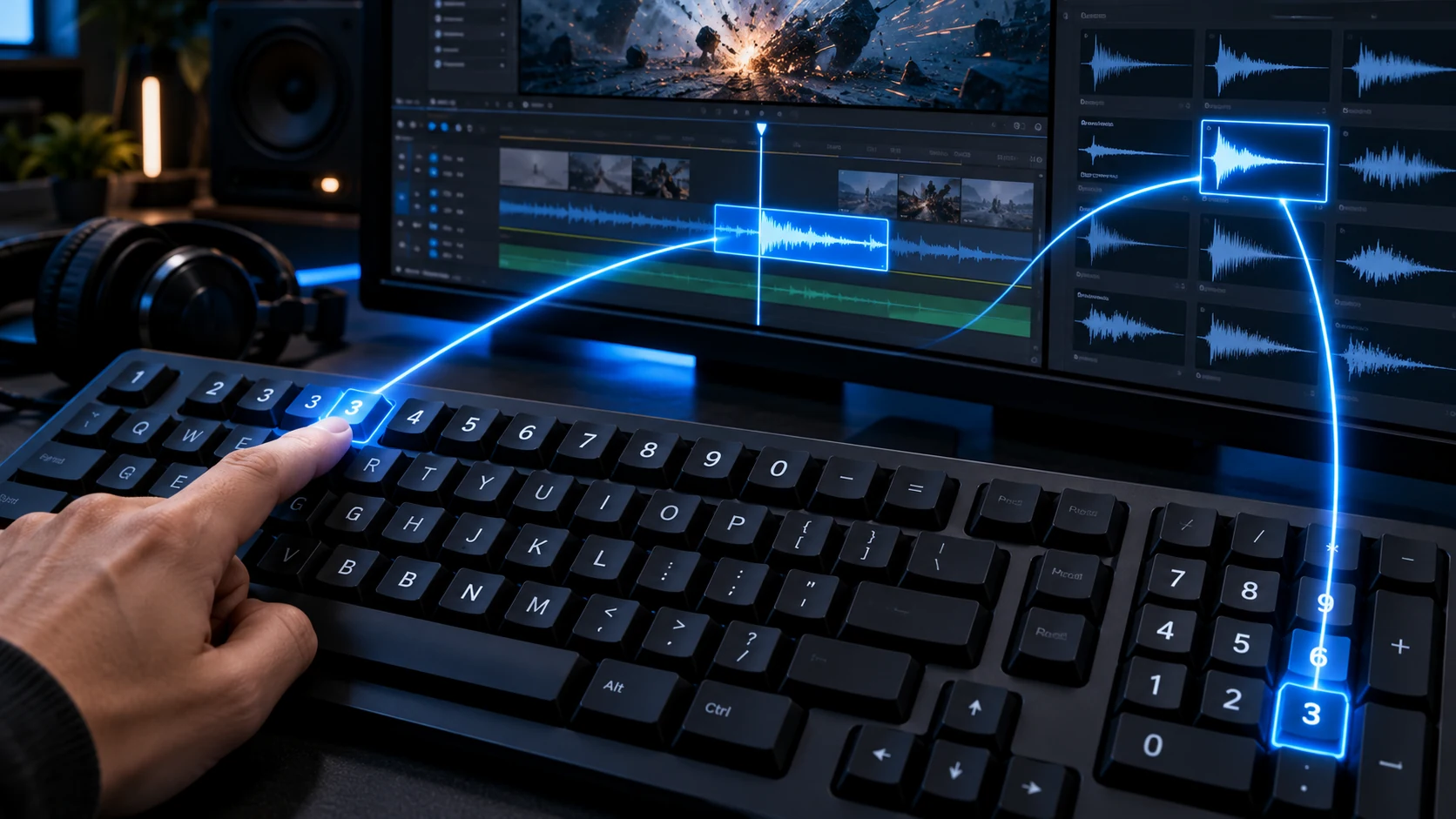
Assign a sound to a number key. Press it to place the clip in your timeline—from either the top number row or the numeric keypad.
SWITCH BANKS
0.EnterQuick bank switching
Assign sounds to number keys, then place clips at your edit with a press. Use the number row above the letters or the dedicated numeric keypad.
Sound effects, ready when your edit needs them.
Assign a sound to a number key. Press it to place the clip in your timeline—from either the top number row or the numeric keypad.
Browse your sounds, assign number keys, and place clips while you edit.
Open Quick Search from Premiere Pro to browse, preview, and assign sounds.
Bring up the separate floating search window from your Premiere Pro edit.
Browse All, Recent, Favorites, or Cache, then preview before choosing.
Assign or add a sound; Enter adds it and Esc closes Quick Search.
Your library, preview controls, and timeline placement—together in one focused Premiere Pro workflow.
Ask a questionBrowse your sound folders, keep favorites close, and revisit recent sounds.
Audition a sound and choose the exact in and out points before placing it.
Organize four quick banks with nine assigned sounds each, then trigger from the top number row or numeric keypad.
Use 0, dot, and Enter for quick bank switching.
Save separate sound assignments for different projects or editing workflows.
Hold Caps Lock to temporarily pause QuickSFX Pro while you work in Premiere.
Clear details about the workflow, compatibility, and license.
Assign a sound to a slot, move the Premiere Pro playhead to your edit, then press its number key to place the clip. Both the number row above the letters and the numeric keypad are supported.
There are four banks with nine sound slots each. Use 0, the numeric keypad dot, or Enter to switch banks.
Yes. Hold Caps Lock to pause QuickSFX Pro temporarily, then release it to resume.
No. QuickSFX Pro works with your own sound library; sound files are not included with the license.
The current edition is for Windows with Adobe Premiere Pro 2026 or later. A standard license supports up to two computers.
No. The planned license is a one-time purchase, with updates provided at no additional charge. Checkout is not open yet.
QuickSFX Pro is a Windows extension for Adobe Premiere Pro 2026 and later.